
Goal:
Help Type-2 diabetes patients better track their doses
Solution:
Use human-centered design to create digital “smart label”
Impact:
Learning preferences for potential device users
The Smart Labels project aimed to find user preference in a digital tool.
Funded by a major pharmaceutical company, we helped Type-2 diabetes patients stay healthy.
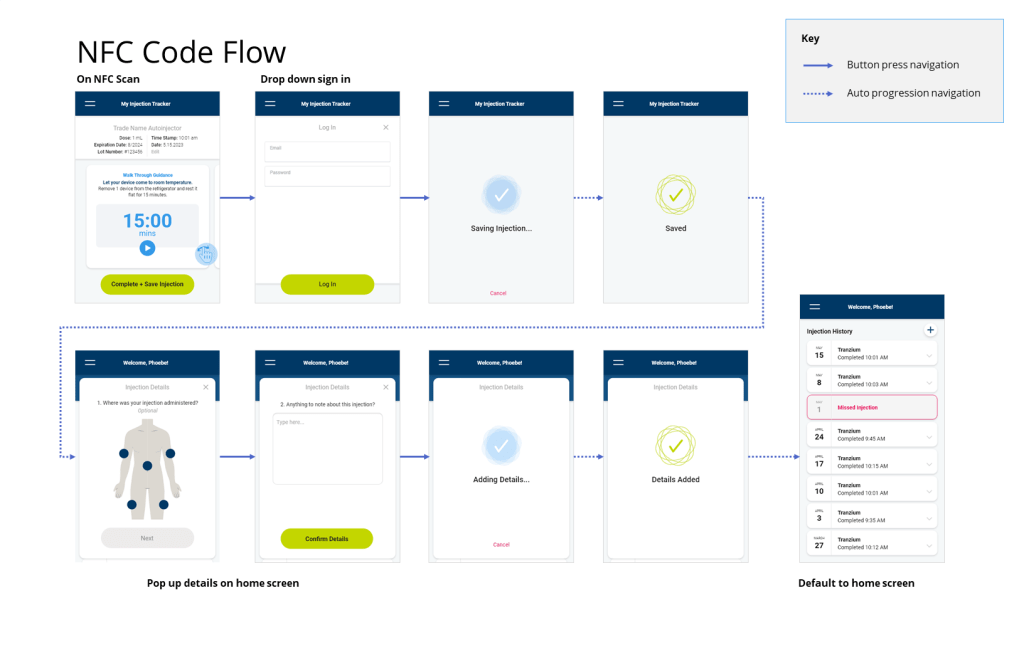
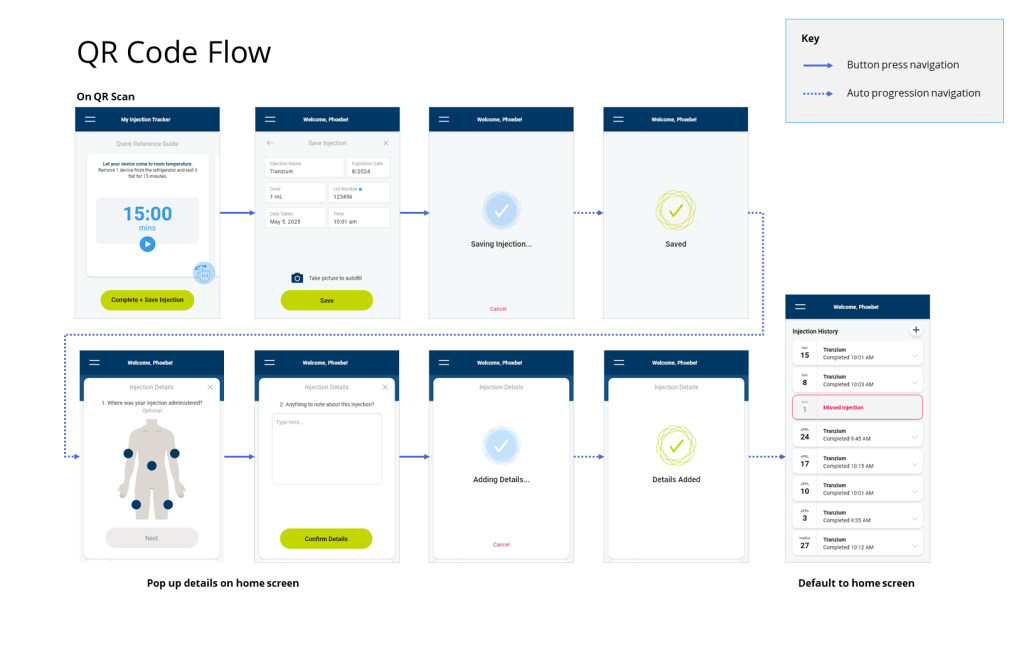
We used single-use autoinjectors (similar to an Epi-Pen) with a special digital label. It opened up a custom medical logging app with a QR Code (the little square you scan on a restaurant menu) or an NFC tap (like when you tap-to-pay with your credit card). Our goal: learn user preference between these two technologies.
We worked to answer four questions: (explore them in this slideshow!)
Research
All interviews were 60 minutes and conducted in 1-1 sessions at Insight’s observation lab. The interview structure was as follows:
Introduction:
Welcoming the participant, presenting the goals of the study, and answering upfront questions.
Concept Introduction:
Introduce the smart label concept and solicit first impressions.
Workflow Evaluation: & Comparison:
Moderator shares all four devices and participants thinks aloud.
Wrap-up:
Participants summarize their thoughts.
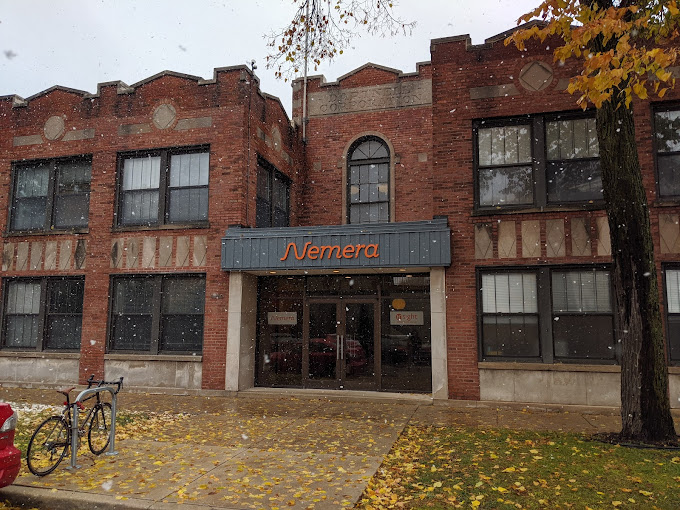
Nemera Insight Innovation in Chicago, IL
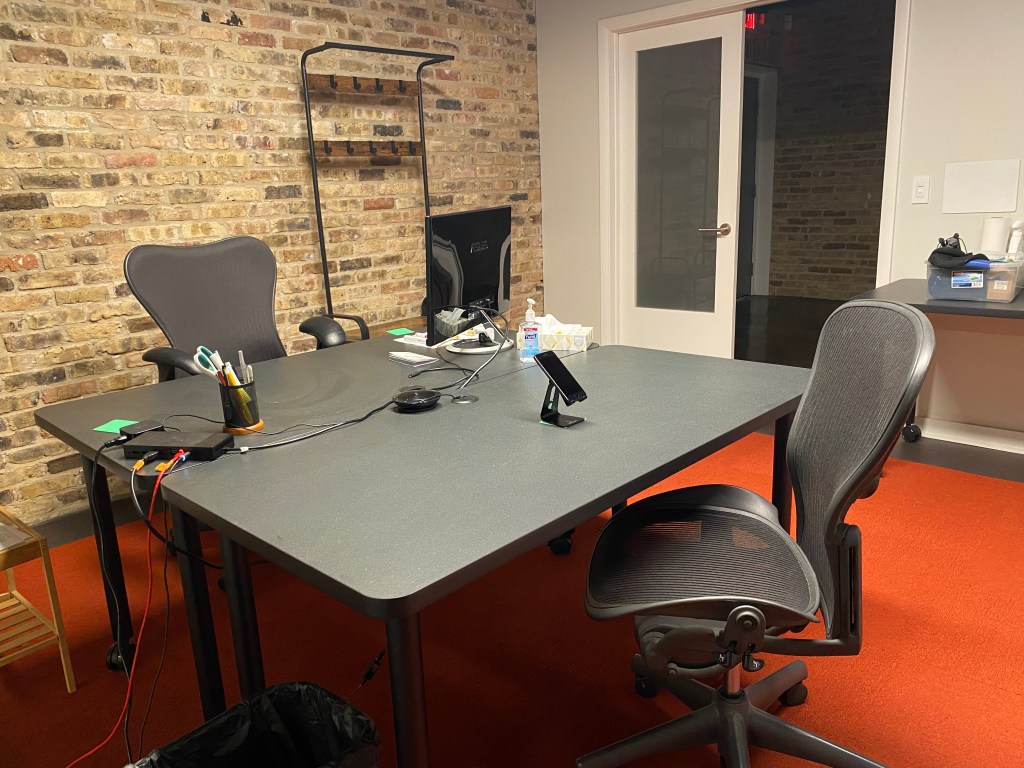
Observation Labs include a 1-way mirror and 3 different video angles.
Injection Trainers
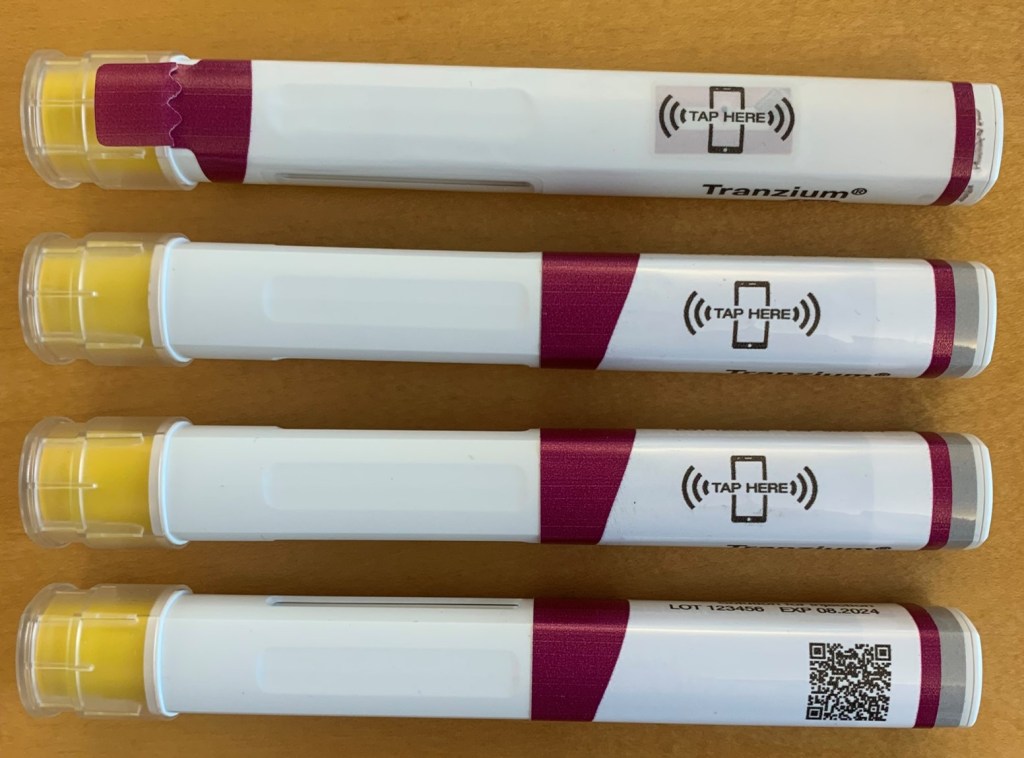
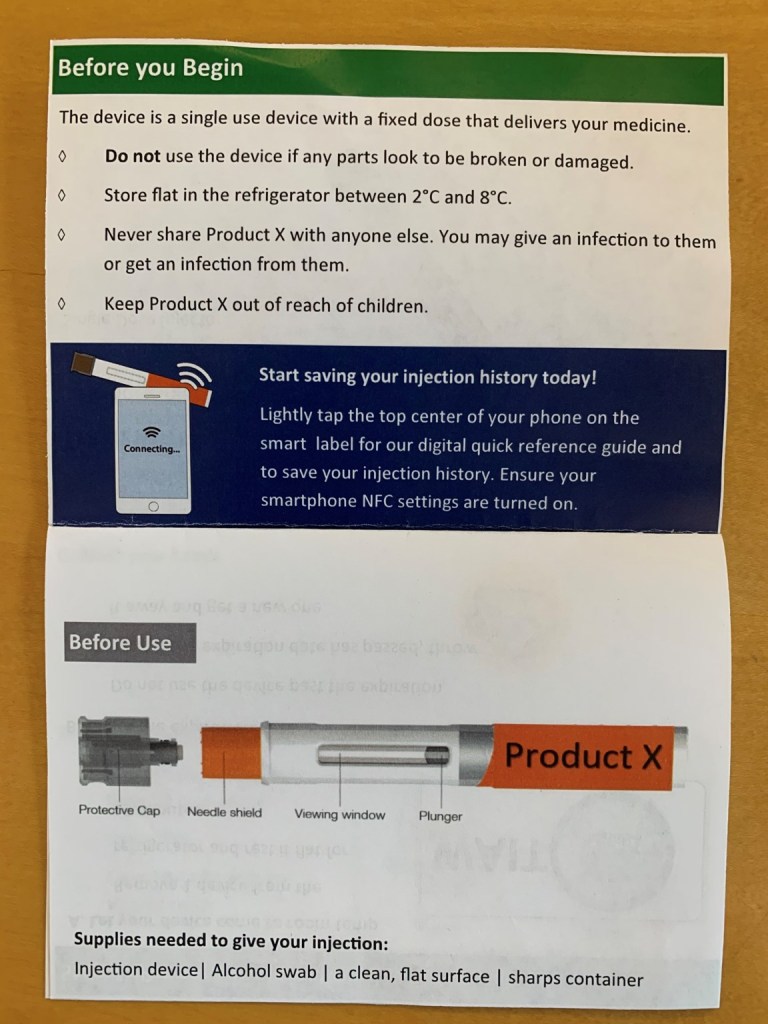
There were four different autoinjectors used in this study. Pictured top to bottom below, tamper evident workflow, redundant entry alert, NFC and QR code.
Printed QRGs
The QRG (quick reference guide) included an introduction to smart labels. However, full instructions on smart label use were not included.
32 total participants were included in the study, all with Type-2 diabetes.
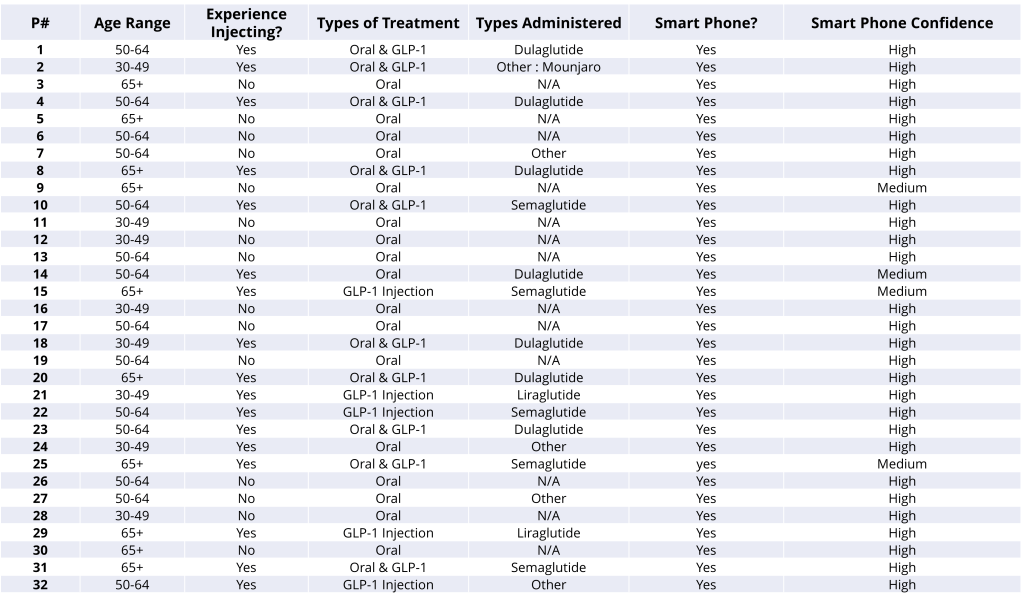
We interviewed a diverse set of participants.

The autoinjectors we used for the study were dummy devices (no needle, no drugs)
The 32 person sample was split down the middle. 16 had injection experience (administering GLP-1s, insulin pens), and 16 had no injection experience.
These participants used a range of treatments, (Trulicity, Metformin, Ozempic, Victoza, Mounjaro)
A mix of gender identity, age, and history of diabetes (time since diagnosis) was also targeted.
Creating Our Protocol
Our protocol guided the study with the questions to ask and when to dig deeper.
Our protocol featured the question “Why?” so many times it was hard to count, yet this is the key to human-centered design! Digging deeper into a participant’s experiences will always yield a better product.
When conducting an interview like this, it was paramount for me to remain neutral. This way the participants could share their stories in the most natural way.
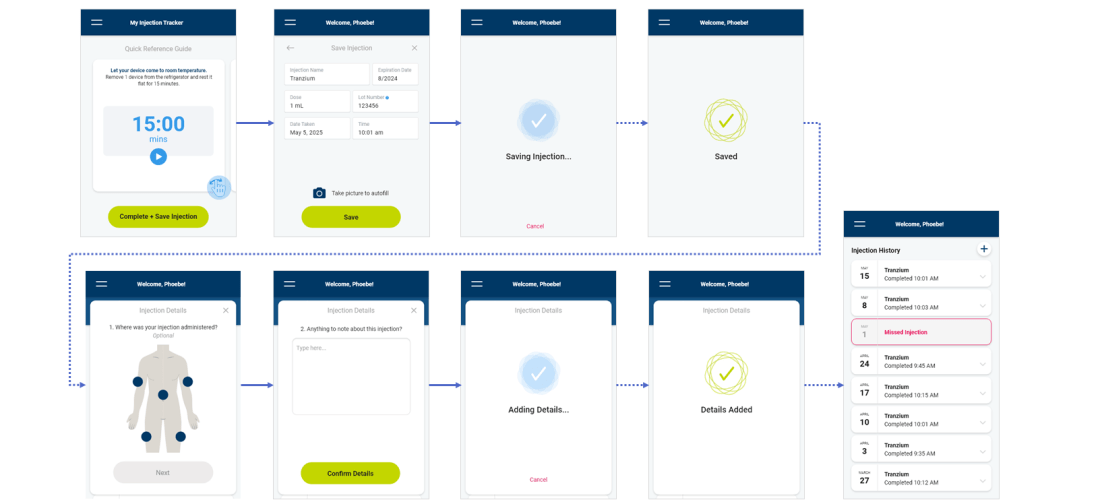
Below are the workflows for the two concepts!
The majority of participants (24/32) envisioned using the smart label technology.
Even those less enthused would do so if instructed by their doctor.
“I was impressed with the pen I already have, now this is the next step in medical technology.”
-Participant 18
Participants shared excitement about the new technology, finding it better than similar apps.
“Knowing what I know about it, I think I would do it as soon as I take it out of the box, take advantage of the timer.”
-P12
Perceived Benefits and Tradeoffs
A well-liked product with some things to keep and thing to change:
Keep
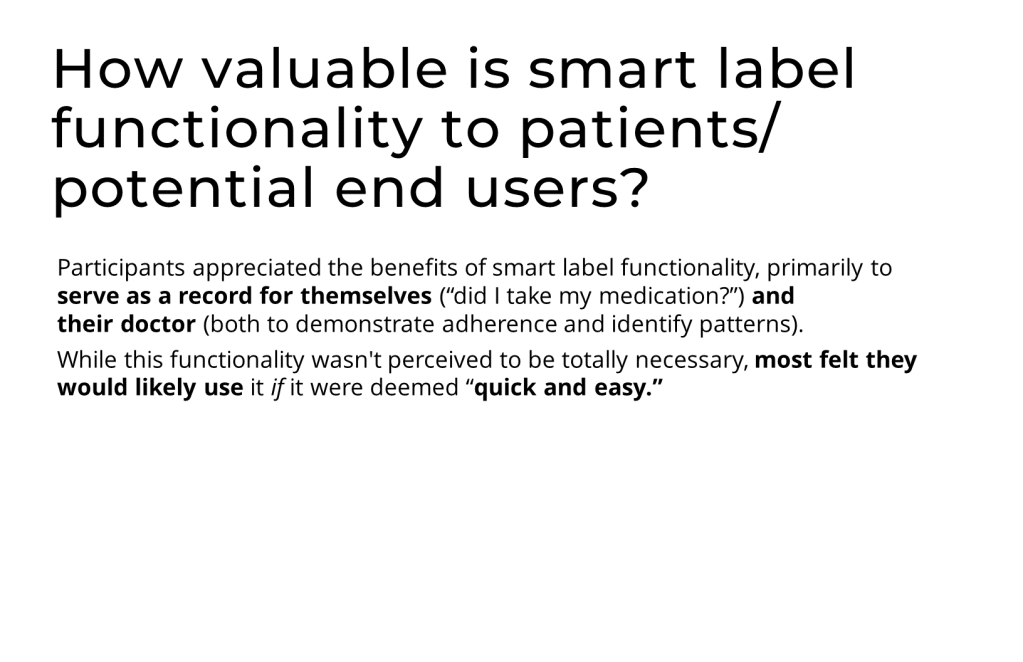
The use of smart labels would provide confirmation that patients are on track.
“It’s nice to have an app that keeps track of everything. Also being able to go back and see this information is good.” –P2
Sharing the log with their doctor to review dosing provides reassurance.
“The more my doctor knows the better. I like the idea of sharing the information with my doctor.” –P5
Some expressed a desire to use smart labels for all their medication.
“I have to keep very specific records for my other medications, this would make it easier because they’re all in one place. I can trace cause and effect.” –P7
Change
Some felt it was unnecessary, particularly for people taking few medications at a set time of day.
“I know how much I take and I take an injection every morning. It would not be useful in the sense that it would not tell me anything. I take .025 ml every Monday morning.“ –P31
Some questioned the utility if it’s too expensive.
“Unless this becomes affordable, I won’t use it.” –P14
After thorough analysis of our research, one concept was clearly preferred.
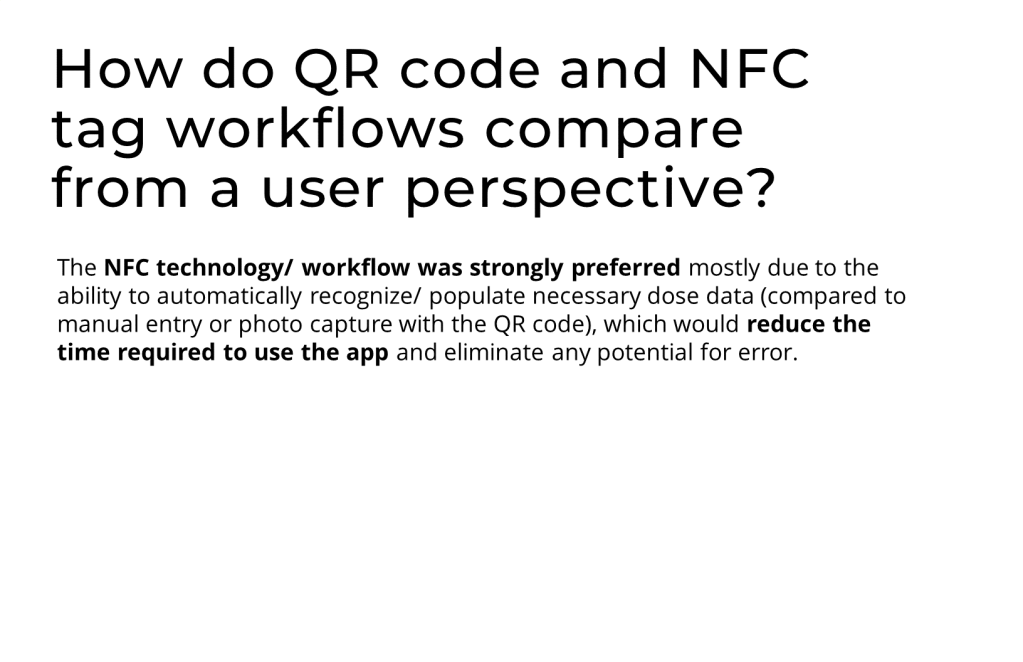
The NFC Workflow (N) was strongly preferred over the QR Code Workflow (Q).
The top reasons were the automated data entry, the safety features, and the simplicity of activating the label.
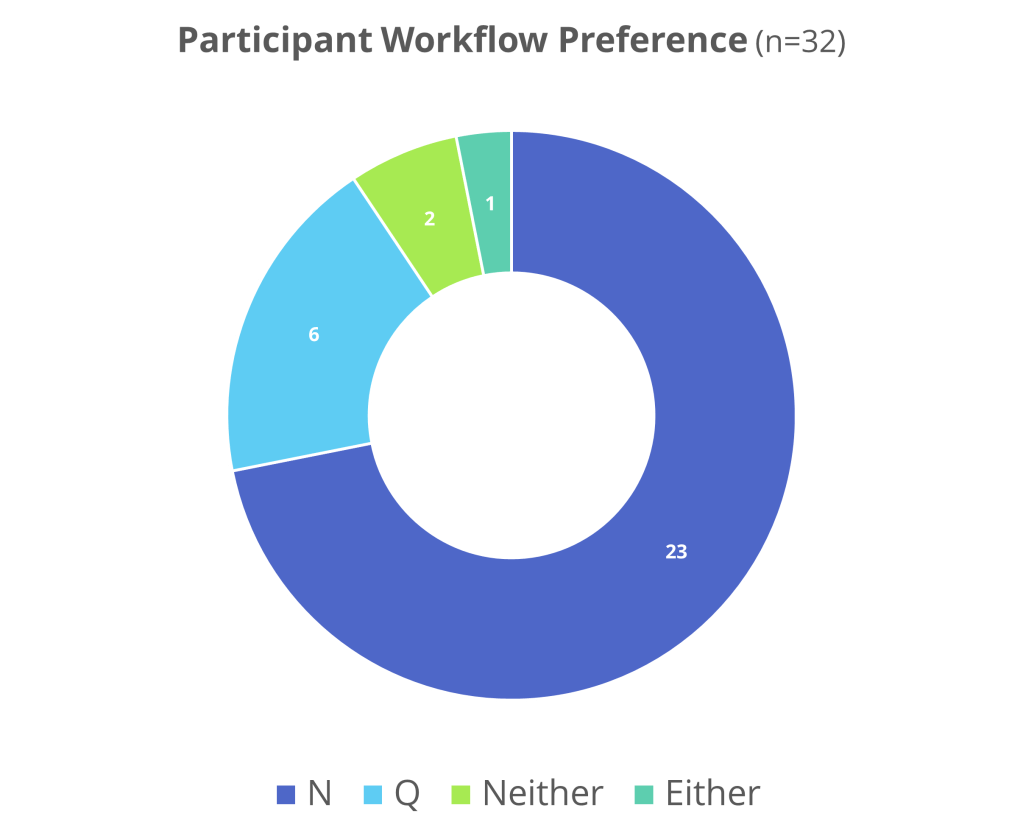
Workflow Preference
While some participants struggled with NFC, they all loved the automated data entry. It was highly preferred over concept Q.
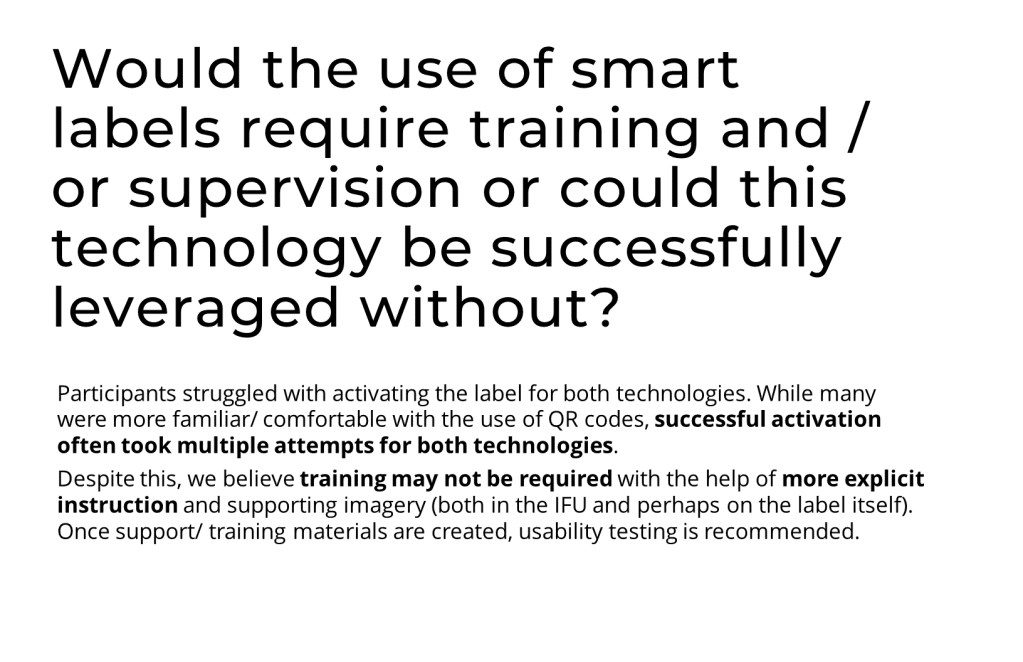
Trained participants took between 1-5 times to activate the label. Untrained participants could take up to 20 times before successful activation. Only 1 untrained participant was able to successfully activate on the first try!
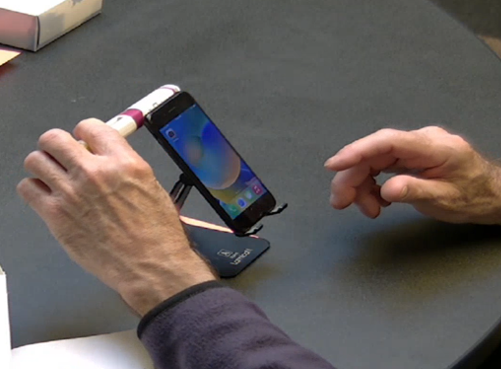
A participant taps the NFC smart label against the back of the phone.
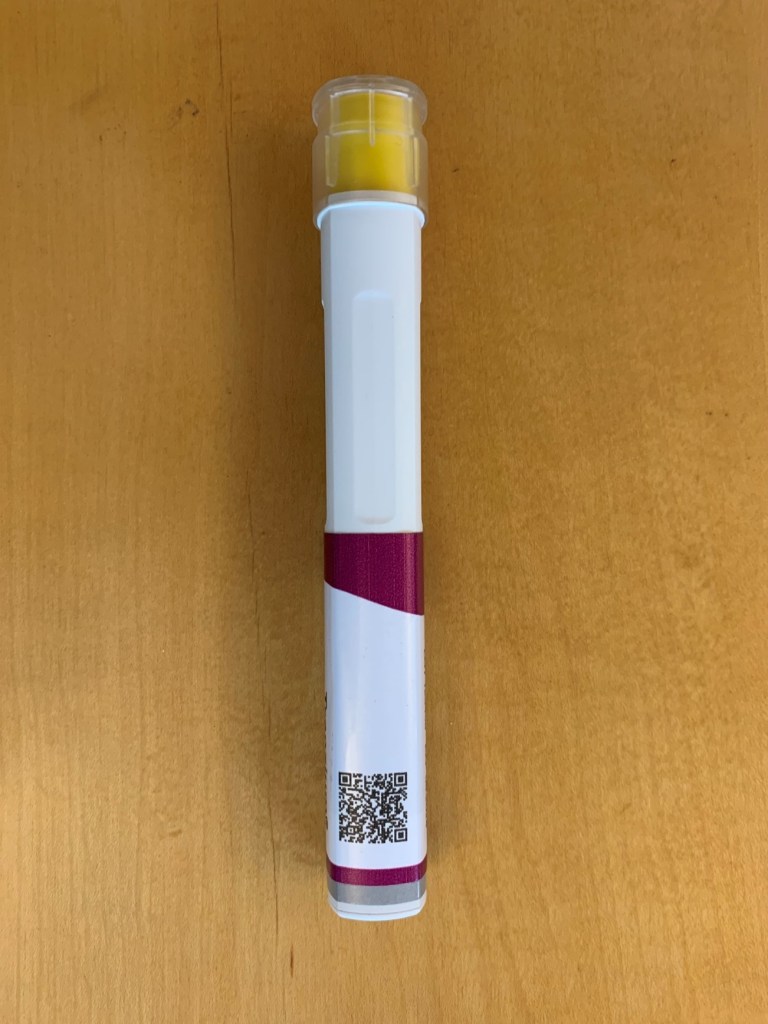
QR codes were a more familiar technology but challenges in activation remain.
The majority of participants had experience with QR codes.
Trained participants could activate the label in just a few attempts. Untrained participants often required multiple attempts for success.
Nearly every participant tried using the camera for data entry but felt they could resort to manual entry.
Below are our design recommendations!
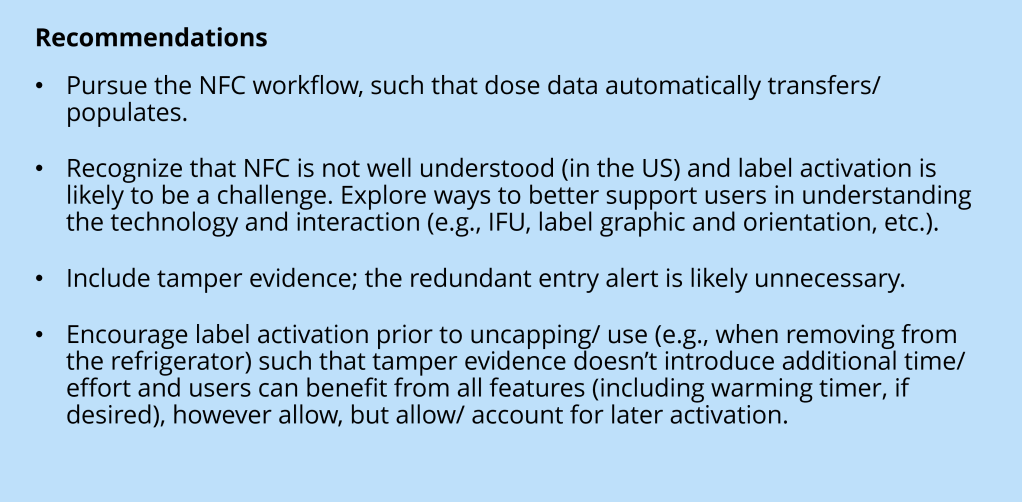
Click here to see appendix for full screen sets.
In our next round, we added a new section to our concept.
Our “Features Menu” was inspired by the widely varying needs of our audience. I was very excited that we were able to perform such in-depth interviews!
Feature Menu
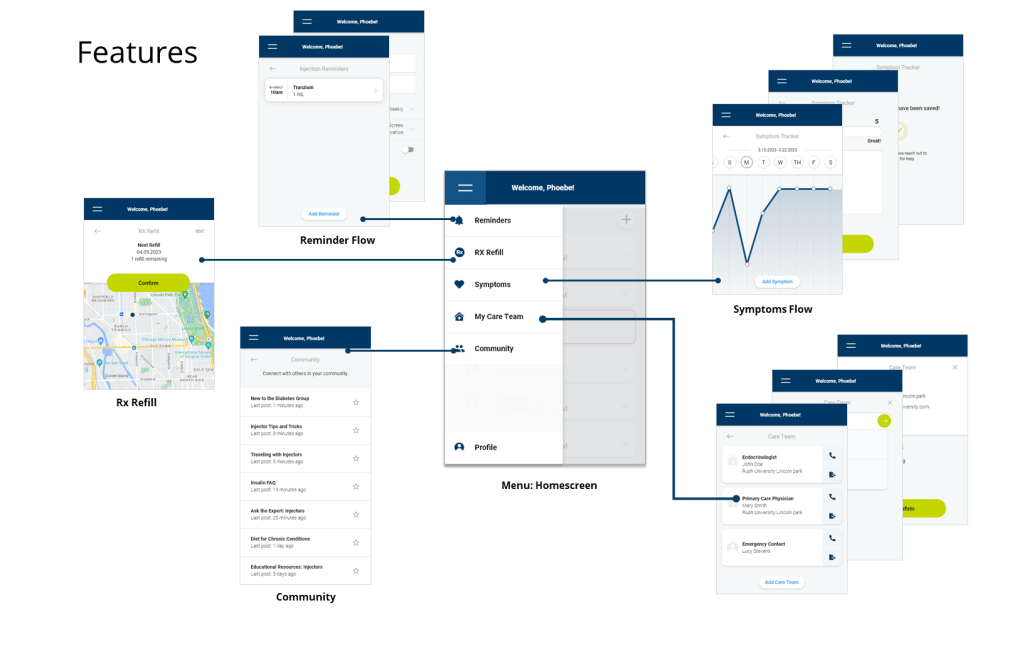
After several rounds of iterations, we added we added five new features to the concept. To the right is the result of participants’ interest in using them.
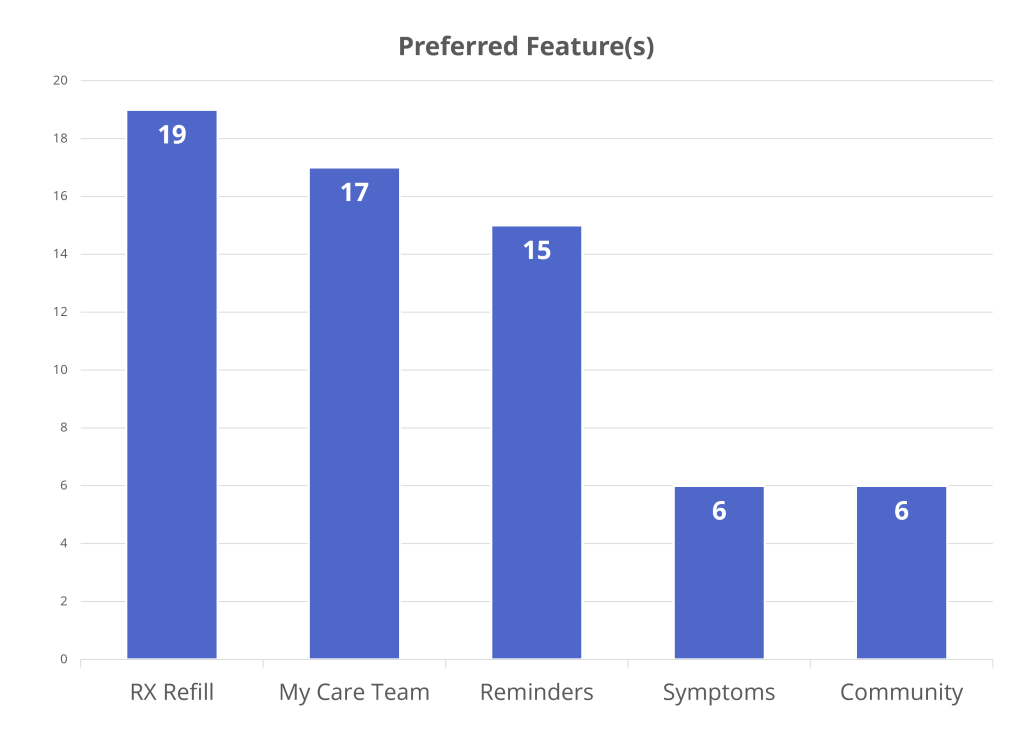
RX Refill:
Could link to a users pharmacy to help them refill their prescriptions.
My Care Team:
A list of contact information for a user’s primary care team / emergency contacts
Reminders:
A notification setting to be reminded when to take your medicine
Symptoms:
A symptom tracker that allows users to chart their daily feelings
Community:
An online forum where users can share stories of diabetes experiences
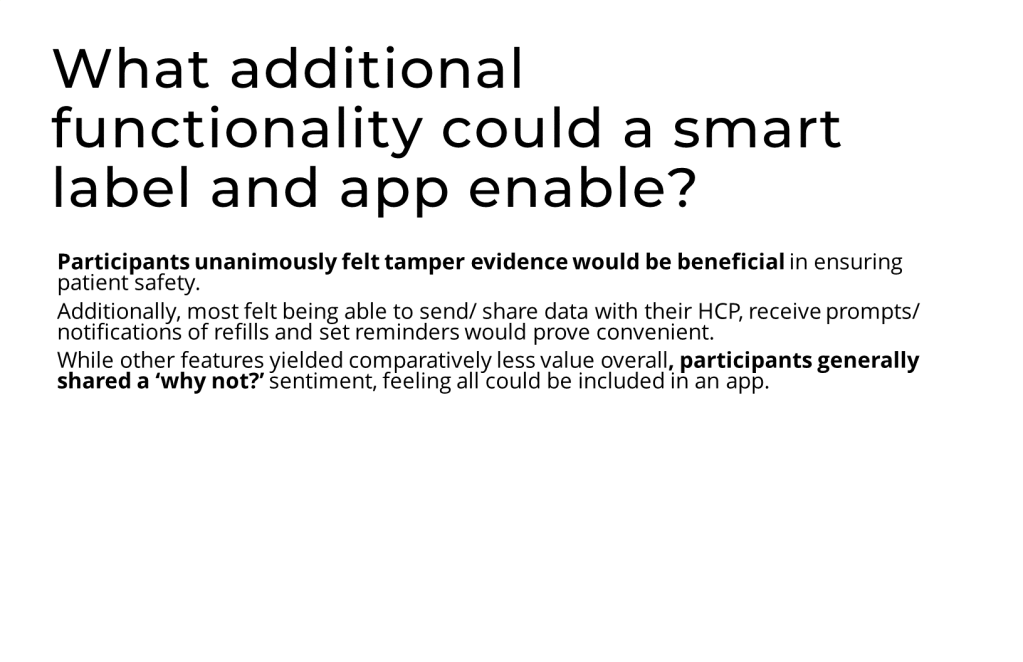
We recommended pursuing all five features.
RX Refill, My Care Team, and Reminders should have prioritization.
Our biggest learning was that participants wanted it to be as seamless as possible. Our clients were pleased and we started the next phase! We also recommended including additional informational features such and FAQs.
 Alastair Merrett